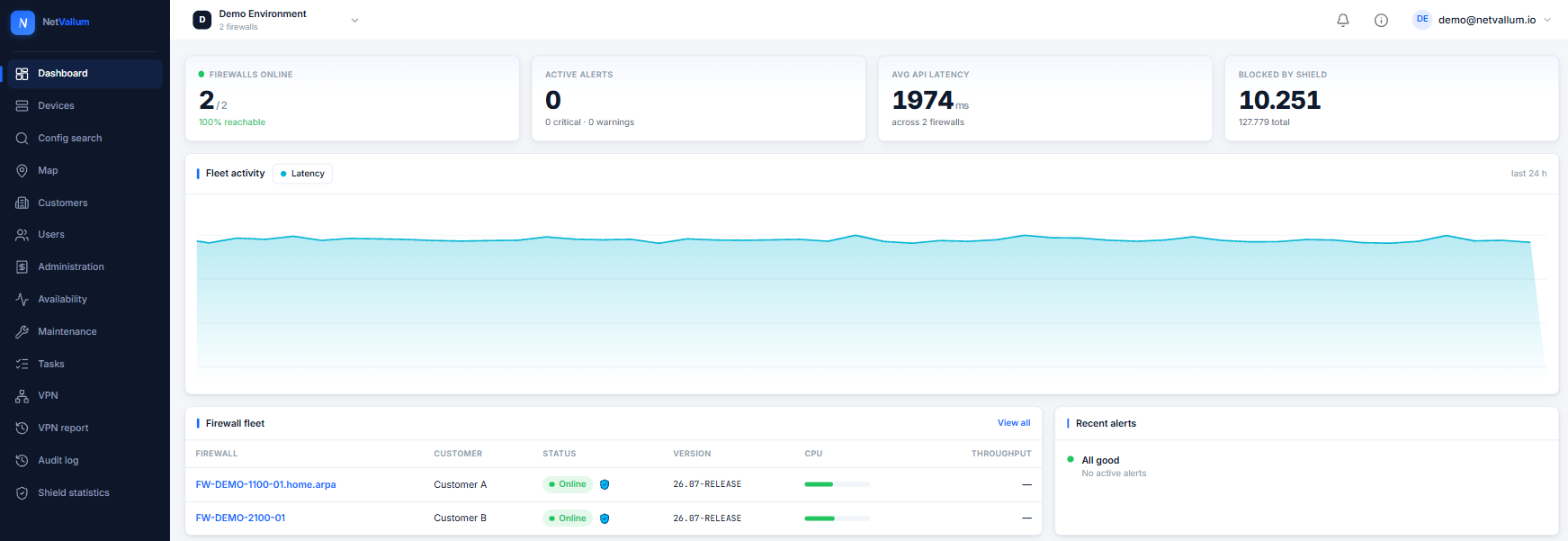
Real-time fleet monitoring
Live health, CPU, memory, disk, temperature and uptime across every managed pfSense — one pane of glass, multi-tenant from the ground up.

NetVallum brings monitoring, management and collective security for pfSense® CE and Plus together in one multi-tenant platform. From live health to VPN orchestration, from Shield threat protection to encrypted backups and recovery — here is the full feature set, grouped by what it does for you.
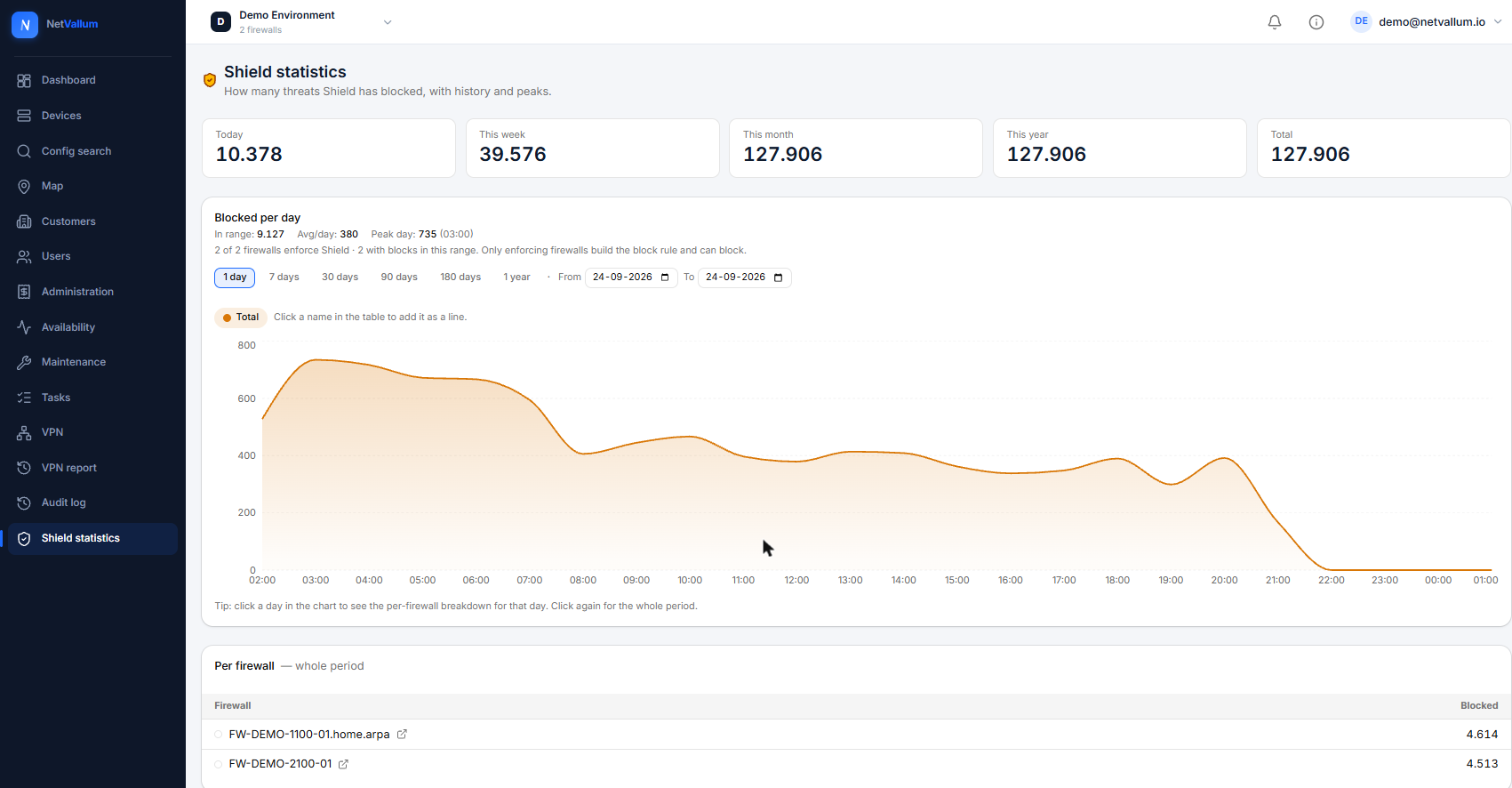
Shield turns your fleet into a shared immune system: a malicious source seen anywhere in the network helps protect everyone. Confirmed threats are blocked across the collective automatically — and the more firewalls take part, the stronger the shield.
Live health, CPU, memory, disk, temperature and uptime across every managed pfSense — one pane of glass, multi-tenant from the ground up.
Drive-fill alerts with growth drill-down, plus SSD wear tracking — so storage never fills up or wears out unnoticed.
Record the provider per WAN and correlate outages across the fleet and geographically — spot a provider incident before the tickets arrive.
Restart detection with a recovery countdown and notification, so an unexpected reboot is never a surprise.
Distributors, partners and customers in one hierarchy, with strict data isolation and control at every tier.
Distributors and partners put their own brand on top — customers never see prices or tiers above them.
Per-user capability overrides on top of role defaults, so everyone gets exactly the access they need.
Baseline configuration per partner and customer — extend or replace defaults and roll them out with a clear diff.
A collective, crowdsourced threat blocklist: a malicious source seen anywhere in the network helps protect everyone, with confirmed threats blocked automatically.
Optional DNS category content filtering — malware, adult, gambling and more — enforced locally on the firewall itself.
Browser-trusted Let's Encrypt certificates issued and renewed automatically on a managed domain — no inbound ports, no DNS hassle. Or pin the firewall's own certificate.
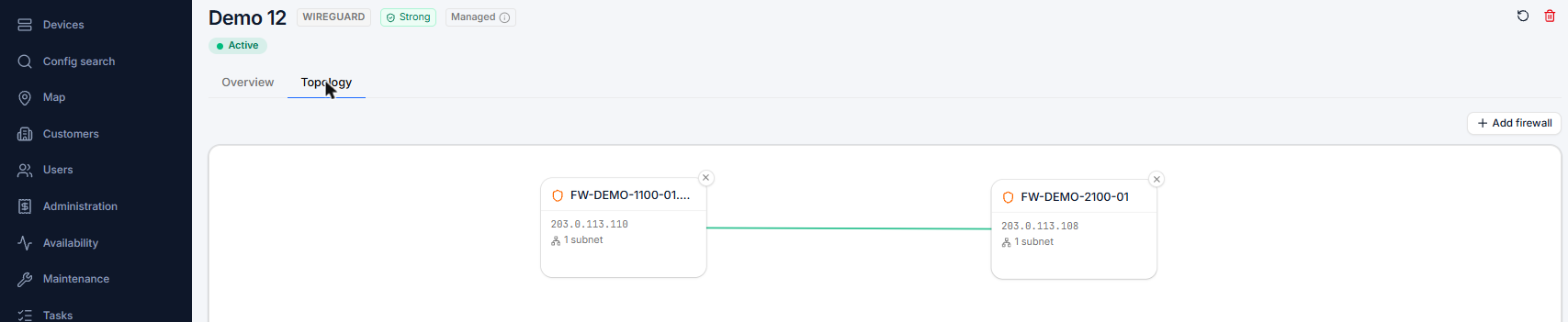
Firewall rules, NAT, DHCP/DNS, interfaces and services — managed remotely in a familiar pfSense-style interface.
Upgrade pfSense from the portal with a live log, branch selection and cross-major safeguards.
Defer upgrades and tasks to a chosen moment, with pre-flight risk checks that catch problems before they run.
Activate, boot-once and snapshot boot environments, with a disk-space check — a clean fallback for every upgrade.
Swap or upgrade hardware with guided NIC-remapping and automatic rollback if anything goes wrong.
Search the whole fleet for where an IP, network or alias name still appears — in rules, aliases, users and SSH keys — without loading the firewalls live.
Model, serial number, Netgate Device ID (NDI) and TAC support-contract status per firewall, with reminders before a paid contract expires.
Per-firewall configuration backups, encrypted at rest, with tamper-proof restore and a revision changelog — a bad change is never a disaster.
An encrypted copy of each configuration stays readable when a firewall is unreachable, with a clear offline banner.
Restore the link to a firewall that dropped off after a reinstall or restore — keeping the same identity, settings and history.
Enrol a new firewall with a one-time seed token — or fully zero-touch through an authorized distributor.
Per-tier and per-device alert policies for offline, CPU, memory, disk, temperature and link saturation — routed to the channels you choose.
Uptime detail with a configurable SLA target and breach alerts to the right people — proof your fleet meets its promises.
Alerts reach the firewall owner and their partner — never the tiers above them — with a notification hierarchy you control.
A configurable /tv view for the network operations centre: every device at a glance, with map focus and live status — readable across the room.
Turn widgets on or off and reorder them, so each user sees the fleet the way they work.
See your whole fleet on a map, with status and outage overlays for fast situational awareness.
Request a demo and we'll walk you through every feature that fits your setup.
Request a demo